Smart for Work
Make Your Own Skill
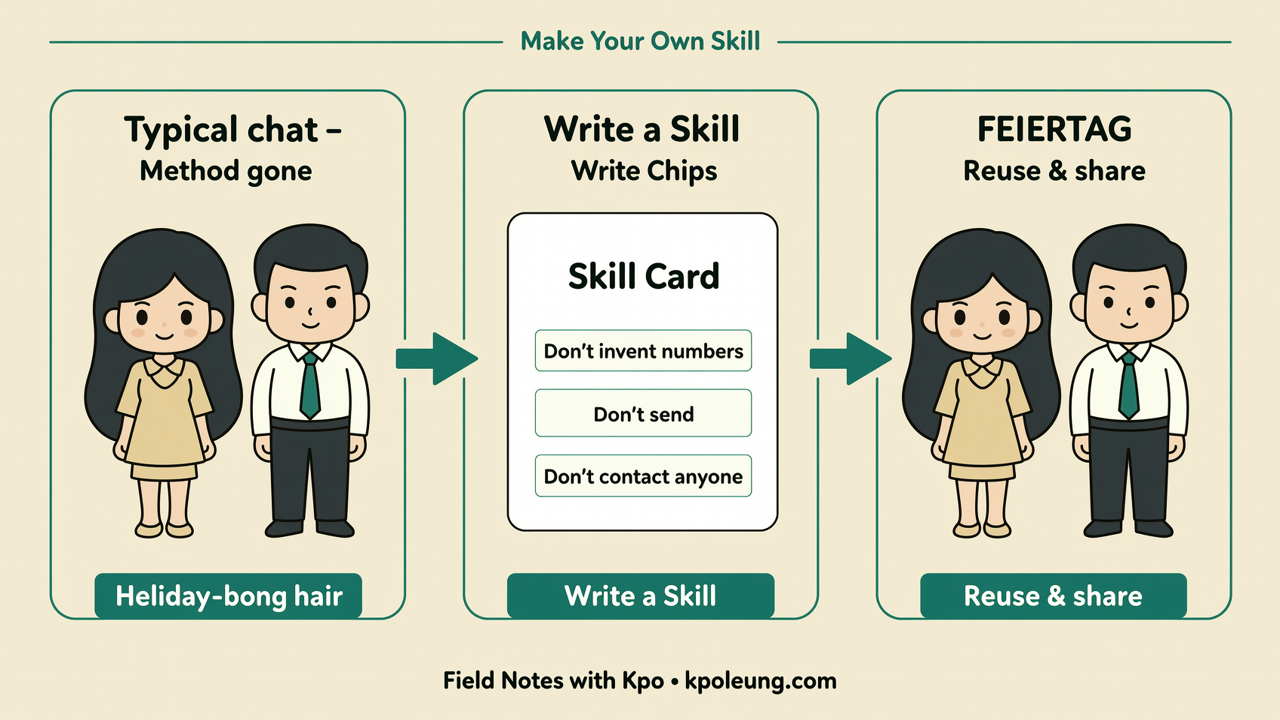
This is Part A of Field Notes 26W43-EP04. It's about writing down a procedure you already do well, so an AI can reuse it next time — a Skill, a Gem, or custom instructions, depending on the tool. Part B — Intelligence in Everyday Devices covers AI already built into the gadgets you carry.
One-off chats vs a Skill
Most of us use AI the same way every time. We open a chat, explain what we want, get something useful — and then the chat ends, and the method goes with it. All that careful explaining just disappears.
Next week, you explain it all again. Same steps, same checks, same little rules you always forget to mention until the third try. It's not that the AI is bad at it. It just has nothing to hold on to.
A Skill is the fix for that. You ask the AI to remember a procedure you already do well — written down once, so you can use it again. You're not asking it to invent new work. You're asking it to keep your method — the one you've already tested in real life.
What a Skill actually is
The name changes depending on the tool. Some call it a Skill. Some call it a Gem. Some just call it custom instructions. Don't worry about the label. If your tool has a place to save instructions you can reuse, that's the one.
Underneath, it's the same idea: a short, reusable set of instructions. What it's called. When to use it. How you normally do the job. What a good result looks like. And what it must never do.
The point is that it stays. A chat history is something you scroll back through. A Skill is something you pick up and use. Like a recipe card, instead of a long phone call about dinner.
How to make one
Start by choosing the right job. Not the one you wish AI could do for you — the one you already do, every week, and could explain to a new colleague.
That matters, because it keeps you in charge. You're the expert on that procedure. The AI's job is to remember it, not to reinvent it. And if it gets something wrong, you'll spot it straight away, because you know what right looks like.
Then describe the steps in your own words. What you do, in what order, and what you look at before you'd happily send it on. No jargon needed — talk the way you'd talk to a colleague. If you'd say "I always double-check the dates", say exactly that.
Once you've said it out loud, ask the AI to turn that into a Skill you can reuse next time. Let it do the tidy writing. You just check it still sounds like your method.
Test it, then trim it
Then test it once. Pick a fresh, small example, and run the Skill on it. Watch closely. Where did it add things you never asked for? Where did it skip a step?
Fix the instructions there, not the output. And keep them short. A tight half-page usually beats a long essay — the more you write, the more it has to guess what matters. Then run it once more. Two rounds is usually enough to feel the difference.
A small example anyone can try
Lots of people write a quick Friday update — for themselves, or for their team. Three lines. What's done. What's blocked. What you need.
You already know how to write it. So the Skill just says: ask me about those three things, draft them in plain words, don't make up any numbers — and don't send it anywhere. I'll read it first and decide.
That's it. A few minutes saved each week, and the update still sounds like you, because the method was yours to begin with.
The line people usually skip
Notice the line people usually skip — the "don't" part. Don't make up numbers. Don't send it. That's the most important bit of the whole Skill.
Remembering the steps is half of it. The other half is writing down the lines it should never cross. Don't contact anyone. Don't spend money. Don't publish anything. Writing that down takes ten seconds. And it's what lets you hand the routine part over without worrying about it.
There's also what to leave out of a Skill altogether. Passwords. Private names and details. Anything confidential. And don't try to squeeze your whole job into one Skill — one Skill, one thing you already do well. Even if it feels like you're "only teaching the AI": if it's sensitive, keep it out. A Skill should remember your steps — not your secrets.
If I had to put Part A in one line: a Skill isn't a new job for the AI. It's your procedure, written down, so you never have to teach it twice.
Continue with Part B — Intelligence in Everyday Devices. More notes are at kpoleung.com/notes/, the podcast is on Spotify, and comments or topic requests are welcome at m@kpoleung.com.